Computer repair software for PCs, laptops and Macs.
From a dead laptop to an SSD upgrade: checklists, data-backup steps, a live hardware scan on the bench, and a service report the customer can read.
No account, no card. Windows, Mac, Android, iPhone and iPad. Works offline.
What's built in for computers & mac.
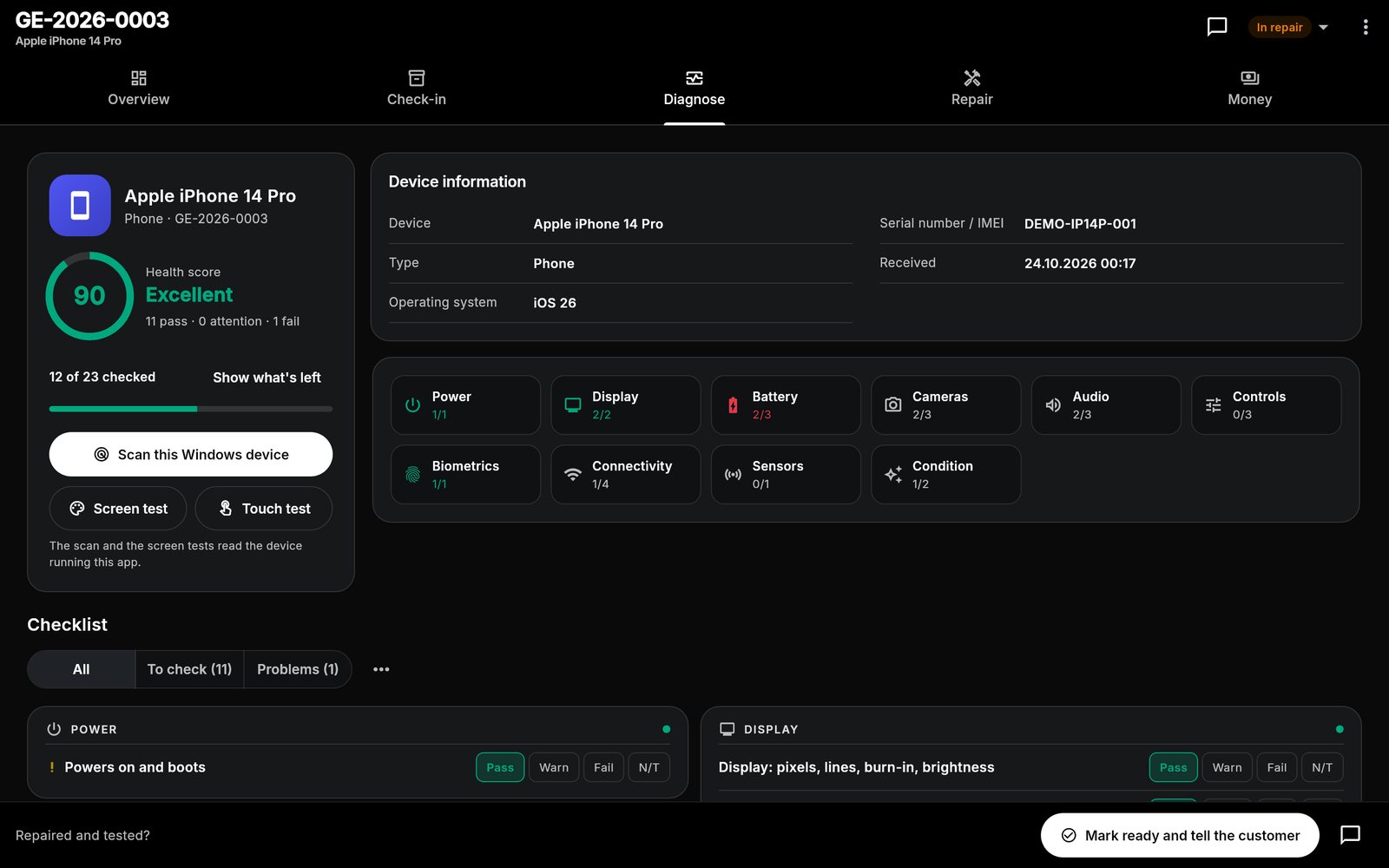
Live hardware scan
On the Windows PC or Mac the app runs on: drives, battery wear, memory, security settings, updates and drivers. Read-only.
Data-safe templates
SSD upgrade, OS reinstall and malware cleanup templates start with a backup step, so nobody skips it.
Health score from 0 to 100
Every check you mark adds up to one number for the report, with the failed and attention items listed.
Every computers & mac job starts with the same checks.
This is the checklist the app adds to a new laptop job, word for word. Each item is pass, attention or fail, adds up to a health score from 0 to 100, and can carry a note or a measured value. Critical items cap the score when they fail.
Laptop checklist
- Powers on, POSTs and boots to OScritical
- Display: pixels, backlight, lines
- Hinges and lid
- Keyboard: all keys
- Trackpad and clicks
- Battery holds charge
- Charger and charging port
- Storage health (SMART)critical
- Memory test (RAM)
- Fans and temperatures under load
- Speakers
- Microphone
- Webcam
- USB / USB-C ports
- Video output (HDMI / DisplayPort)
- Wi-Fi
- Bluetooth
- Liquid damage / corrosion
- Chassis and cosmetics
Desktop checklist
- Power supplycritical
- POST and boot to OScritical
- Video output / built-in display
- Storage health (SMART)critical
- Memory test (RAM)
- Fans, dust and temperatures
- USB and front-panel ports
- Network (LAN / Wi-Fi)
- Audio output
- Noise, case and cosmetics
Repair templates
Screen replacement
- Confirm customer has a backup
- Power down and disassemble
- Remove damaged display
- Transfer components (earpiece, sensors, brackets)
- Fit new display
- Test touch, brightness, True Tone / sensors, Face ID
- Reassemble and seal
- Final QC and clean
Battery replacement
- Discharge battery below 25%
- Disassemble
- Remove adhesive and old battery safely
- Fit new battery
- Reassemble
- Verify charging and battery health reading
- Final QC
Charging port repair
- Inspect and clean port
- Disassemble
- Replace port / flex / DC jack
- Reassemble
- Test charging with known-good charger
SSD upgrade and data migration
- Verify backup of customer data
- Clone or image existing drive
- Install new SSD
- Restore image / migrate data
- Verify boot, TRIM and SMART
- Securely wipe or return old drive
OS reinstall and data restore
- Back up customer data
- Record licences and accounts needed
- Reinstall operating system
- Install drivers and updates
- Restore customer data
- Customer sign-in check
Malware cleanup and tune-up
- Offline malware scan
- Remove unwanted software and startup items
- Update OS, browsers and drivers
- Check antivirus and firewall
- Clean temporary files
- Re-run diagnostics
Thermal service (clean and repaste)
- Record temperatures before
- Disassemble cooling system
- Clean fans and heatsinks
- Replace thermal paste / pads
- Reassemble
- Stress test and record temperatures after
Liquid damage treatment
- Disconnect battery / mains immediately
- Disassemble and inspect
- Ultrasonic / IPA clean of affected boards
- Dry thoroughly
- Replace corroded components
- Reassemble and full function test
Plus "Diagnostics only" and your own custom repairs. Steps can be edited, reordered and ticked off on the job.
One workflow from drop-off to pickup.
The same app runs the counter, the bench and the books. See how a job moves or look at more screens.
Computers & Mac: good to know
Can it scan the customer's computer?
Which repairs have templates?
Does it work for business customers?
What does it cost?
Do my devices sync?
One app for every bench.
Each device type has its own checklist and templates. Most shops repair more than one.
Spend less time managing paperwork. Focus on the repair.
Bring your repair workflow into one organized workspace with Gadget Expert.
No account · No card · Windows, Mac, Android, iPhone and iPad