Repair software for DJ controllers and mixers.
Crossfaders, jog wheels, channel faders and firmware, tracked per unit, with parts from your own suppliers and warranty on every repair.
No account, no card. Windows, Mac, Android, iPhone and iPad. Works offline.
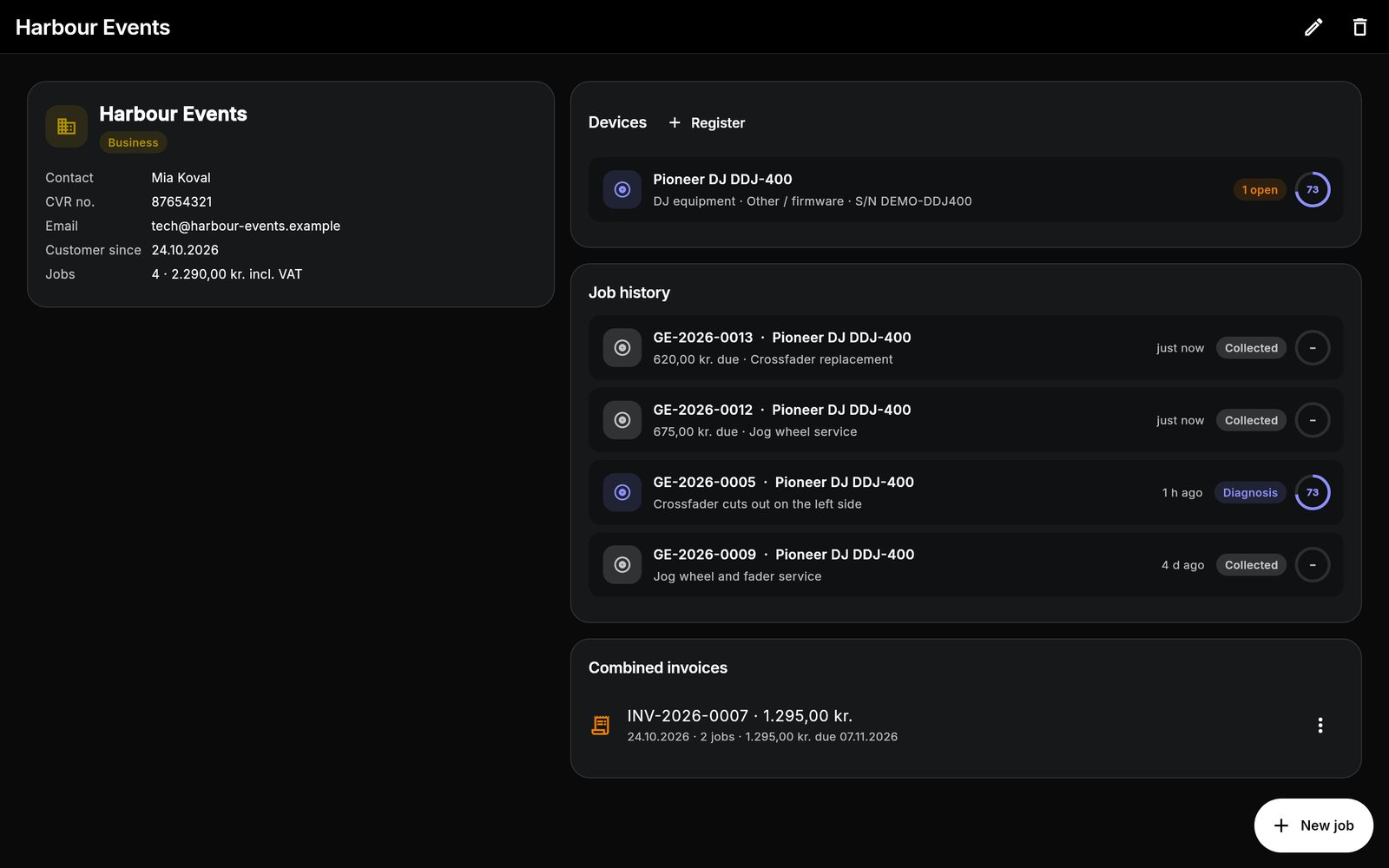
What's built in for dj equipment.
A checklist for DJ gear
Master, booth and headphone outputs, crossfader, channel faders, EQ, jog wheels, pads, pitch faders and the computer connection.
Service templates
DJ controller and mixer service and pot and switch cleaning come with steps, from firmware update to testing every channel.
Clubs and rental companies
Business customers with several units, asset tags, repair history per unit and combined invoices.
Every dj equipment job starts with the same checks.
This is the checklist the app adds to a new dj controller and mixer job, word for word. Each item is pass, attention or fail, adds up to a health score from 0 to 100, and can carry a note or a measured value. Critical items cap the score when they fail.
DJ controller and mixer checklist
- Powers on / bootscritical
- Firmware version recorded
- USB / computer connection (Rekordbox, Serato)
- Master output L/R
- Booth output
- Headphone cue
- Mic input
- Channel faders
- Crossfader
- EQ and trim knobs
- Jog wheels (touch and rotation)
- Buttons and performance pads
- Pitch / tempo faders
- Screens and LEDs
- Chassis and cosmetics
Repair templates
Battery replacement
- Discharge battery below 25%
- Disassemble
- Remove adhesive and old battery safely
- Fit new battery
- Reassemble
- Verify charging and battery health reading
- Final QC
Liquid damage treatment
- Disconnect battery / mains immediately
- Disassemble and inspect
- Ultrasonic / IPA clean of affected boards
- Dry thoroughly
- Replace corroded components
- Reassemble and full function test
Pot and switch cleaning
- Disassemble to access controls
- Clean pots and switches with contact cleaner
- Replace worn pots if needed
- Reassemble and test all controls
DJ controller / mixer service
- Update firmware and drivers
- Clean or replace channel faders
- Replace crossfader
- Calibrate jog wheels
- Replace worn buttons / pads
- Test every output and channel
Plus "Diagnostics only" and your own custom repairs. Steps can be edited, reordered and ticked off on the job.
One workflow from drop-off to pickup.
The same app runs the counter, the bench and the books. See how a job moves or look at more screens.
DJ equipment: good to know
Can I track the same controller across repairs?
Can I order parts like crossfaders?
Does it connect to Rekordbox or Serato?
What does it cost?
Do my devices sync?
One app for every bench.
Each device type has its own checklist and templates. Most shops repair more than one.
Spend less time managing paperwork. Focus on the repair.
Bring your repair workflow into one organized workspace with Gadget Expert.
No account · No card · Windows, Mac, Android, iPhone and iPad