Phone repair software that keeps up with the counter.
Check in iPhones, Android phones and tablets in under a minute, test every function, verify the device over USB, and hand it back with an invoice and a signature.
No account, no card. Windows, Mac, Android, iPhone and iPad. Works offline.
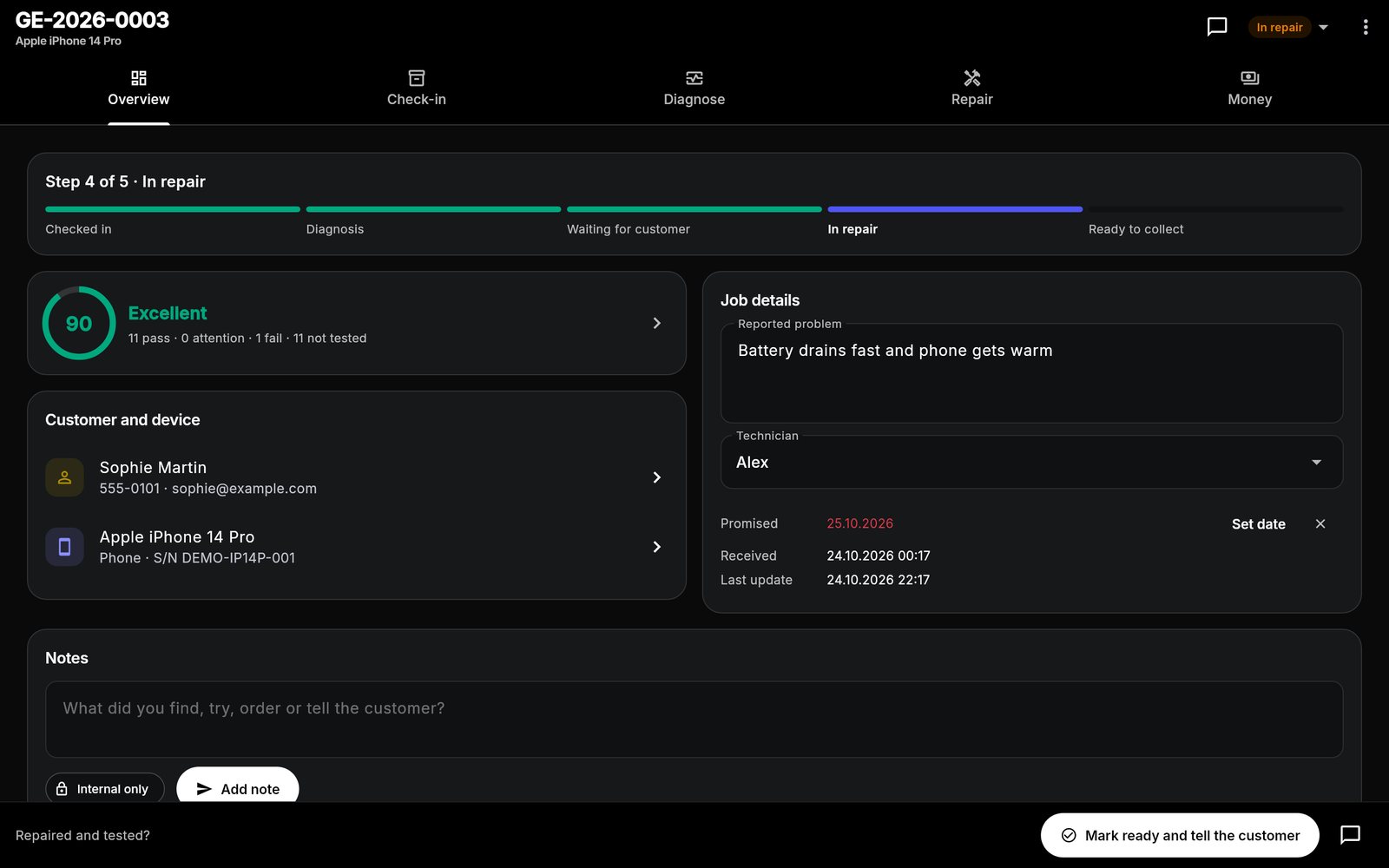
What's built in for phones & tablets.
340+ models built in
Start typing "iPhone 15" or "Galaxy S24" and pick the model; brand, type and operating system fill in.
USB verification report
Plug an iPhone, iPad or Android phone into the Windows PC or Mac running the app for battery health, cycles, IMEI, activation and sales type.
Passcodes handled properly
Store the passcode or unlock pattern for testing. It is never printed and is deleted automatically at hand-over.
Every phones & tablet job starts with the same checks.
This is the checklist the app adds to a new phone job, word for word. Each item is pass, attention or fail, adds up to a health score from 0 to 100, and can carry a note or a measured value. Critical items cap the score when they fail.
Phone checklist
- Powers on and bootscritical
- Display: pixels, lines, burn-in, brightness
- Touchscreen: full surface responds
- Battery health (record % from Settings)
- Charging via cable
- Wireless charging
- Rear camera(s) and focus
- Front camera
- Flash / torch
- Earpiece speaker
- Loudspeaker
- Microphone(s)
- Power / side button
- Volume buttons
- Vibration motor
- Face ID / Touch ID / fingerprint
- Wi-Fi
- Bluetooth
- Cellular / SIM
- GPS / location
- Proximity and ambient light
- Liquid damage indicators
- Frame, back glass and housing
Repair templates
Screen replacement
- Confirm customer has a backup
- Power down and disassemble
- Remove damaged display
- Transfer components (earpiece, sensors, brackets)
- Fit new display
- Test touch, brightness, True Tone / sensors, Face ID
- Reassemble and seal
- Final QC and clean
Battery replacement
- Discharge battery below 25%
- Disassemble
- Remove adhesive and old battery safely
- Fit new battery
- Reassemble
- Verify charging and battery health reading
- Final QC
Charging port repair
- Inspect and clean port
- Disassemble
- Replace port / flex / DC jack
- Reassemble
- Test charging with known-good charger
OS reinstall and data restore
- Back up customer data
- Record licences and accounts needed
- Reinstall operating system
- Install drivers and updates
- Restore customer data
- Customer sign-in check
Liquid damage treatment
- Disconnect battery / mains immediately
- Disassemble and inspect
- Ultrasonic / IPA clean of affected boards
- Dry thoroughly
- Replace corroded components
- Reassemble and full function test
Plus "Diagnostics only" and your own custom repairs. Steps can be edited, reordered and ticked off on the job.
One workflow from drop-off to pickup.
The same app runs the counter, the bench and the books. See how a job moves or look at more screens.
Phones & tablets: good to know
Can it read battery health from an iPhone?
Does it work for screen and battery repairs?
Can I print a label for the phone or bag?
What does it cost?
Do my devices sync?
One app for every bench.
Each device type has its own checklist and templates. Most shops repair more than one.
Spend less time managing paperwork. Focus on the repair.
Bring your repair workflow into one organized workspace with Gadget Expert.
No account · No card · Windows, Mac, Android, iPhone and iPad