Repair software made for Hi-Fi and amplifiers.
Recaps, bias, DC offset and protection faults, with readings recorded on the job and a service report the owner keeps with the amplifier.
No account, no card. Windows, Mac, Android, iPhone and iPad. Works offline.
What's built in for hi-fi & amplifiers.
Amplifier checklists
Left and right output, DC offset in mV, bias in mA, hum and noise, pots, inputs, phono stage and speaker switching.
Board viewer and readings
Open .brd, .bdv, .bvr and .cad board files, tap a net and save diode, voltage or resistance readings on the job.
The right service manual
One tap searches for the model's service manual; save the PDF once and it shows on every unit of that model.
Every hi-fi & amplifier job starts with the same checks.
This is the checklist the app adds to a new amplifier and hi-fi job, word for word. Each item is pass, attention or fail, adds up to a health score from 0 to 100, and can carry a note or a measured value. Critical items cap the score when they fail.
Amplifier and Hi-Fi checklist
- Powers on / standby workscritical
- Protection relay engages
- Fuses and mains wiring safecritical
- Left channel output
- Right channel output
- DC offset within spec (record mV)
- Bias / idle current set (record mA)
- Hum and noise floor
- Clean at rated power (no clipping/oscillation)
- Volume pot: no crackle
- Balance and tone controls
- Input selector and switches
- Line inputs
- Phono stage
- Tape / pre-out / main-in
- Headphone output
- Speaker terminals and A/B switching
- Meters, lamps and display
- Chassis, knobs and cosmetics
Repair templates
Liquid damage treatment
- Disconnect battery / mains immediately
- Disassemble and inspect
- Ultrasonic / IPA clean of affected boards
- Dry thoroughly
- Replace corroded components
- Reassemble and full function test
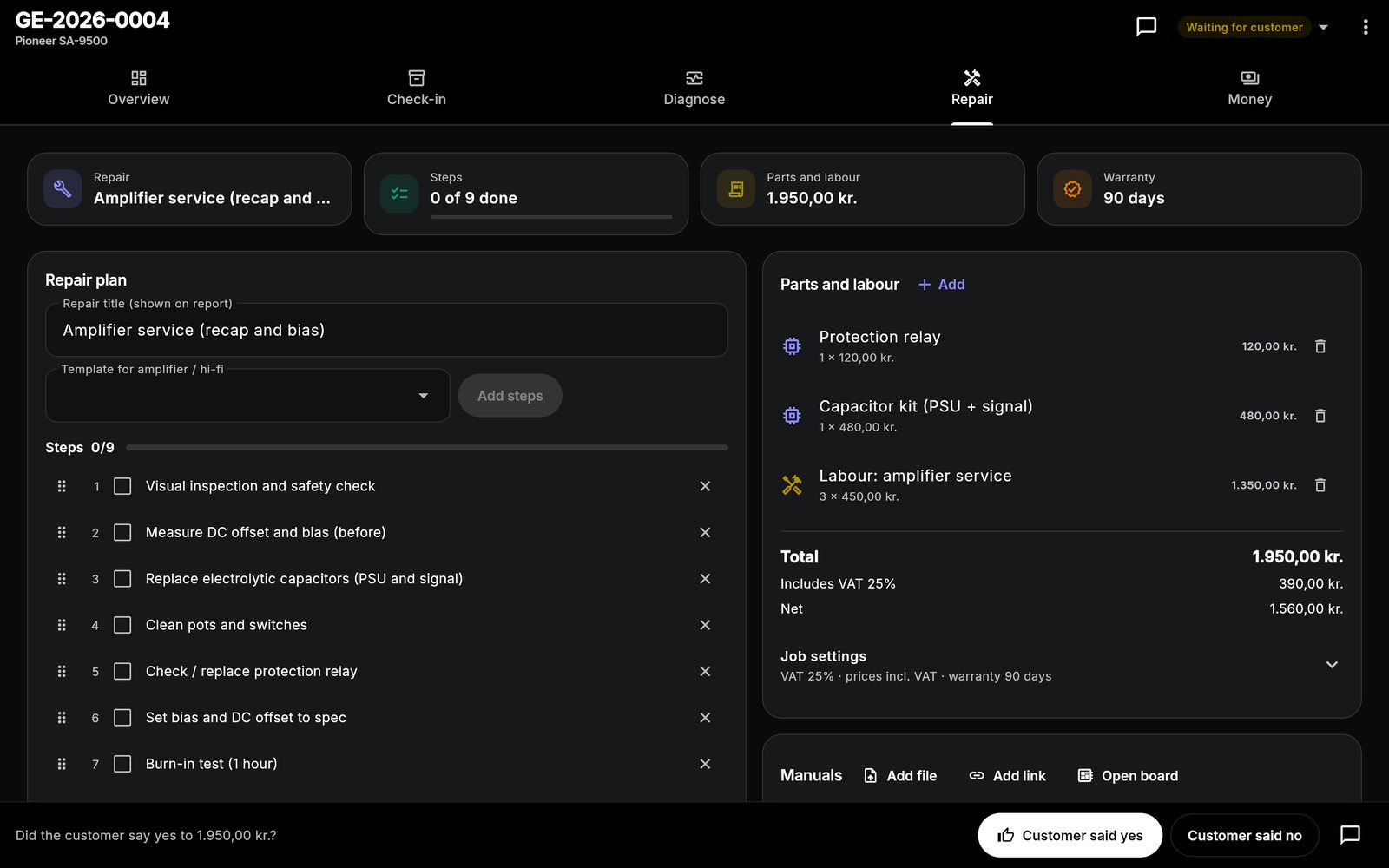
Amplifier service (recap and bias)
- Visual inspection and safety check
- Measure DC offset and bias (before)
- Replace electrolytic capacitors (PSU and signal)
- Clean pots and switches
- Check / replace protection relay
- Set bias and DC offset to spec
- Burn-in test (1 hour)
- Measure and record final values
- Listening test
No output / protection fault
- Check fuses and supply rails
- Test output transistors and drivers
- Check protection circuit and relay
- Replace faulty parts
- Power up on variac / dim-bulb tester
- Set bias and DC offset
- Burn-in test
Pot and switch cleaning
- Disassemble to access controls
- Clean pots and switches with contact cleaner
- Replace worn pots if needed
- Reassemble and test all controls
Plus "Diagnostics only" and your own custom repairs. Steps can be edited, reordered and ticked off on the job.
One workflow from drop-off to pickup.
The same app runs the counter, the bench and the books. See how a job moves or look at more screens.
Hi-Fi & amplifiers: good to know
Does it handle vintage amplifiers?
Can I record measurements?
Is a schematic library included?
What does it cost?
Do my devices sync?
One app for every bench.
Each device type has its own checklist and templates. Most shops repair more than one.
Spend less time managing paperwork. Focus on the repair.
Bring your repair workflow into one organized workspace with Gadget Expert.
No account · No card · Windows, Mac, Android, iPhone and iPad